For cyclists, functional power threshold (FTP) measurement is essential to assess their level and customize their training. MyWhoosh offers accessible and well-structured FTP tests to enable you to obtain accurate data on your performance.
Here is a complete guide to perform a FTP Test session on MyWhoosh.
What is FTP and why is it important?
The FTP (Functional Threshold Power) represents the maximum average power that a cyclist can maintain for one hour. It is a key measure to define your training areas, adapt your efforts and measure your progress. A regular FTP test allows you to assess your fitness and adjust your training plans accordingly.
Before the session: well prepare your FTP test
- Configure your equipment :
- Make sure that your indoor bike trainer and power meter are properly connected to MyWhoosh.
- Check that your Internet connection is stable for an uninterrupted experience.
- Planning the session :
- Choose a day when you're well rested.
- Avoid intense physical activity the day before.
- Warm up properly :
- Before starting the test, plan to warm up for about 10 to 15 minutes. MyWhoosh usually includes a suitable heating protocol before each FTP test.
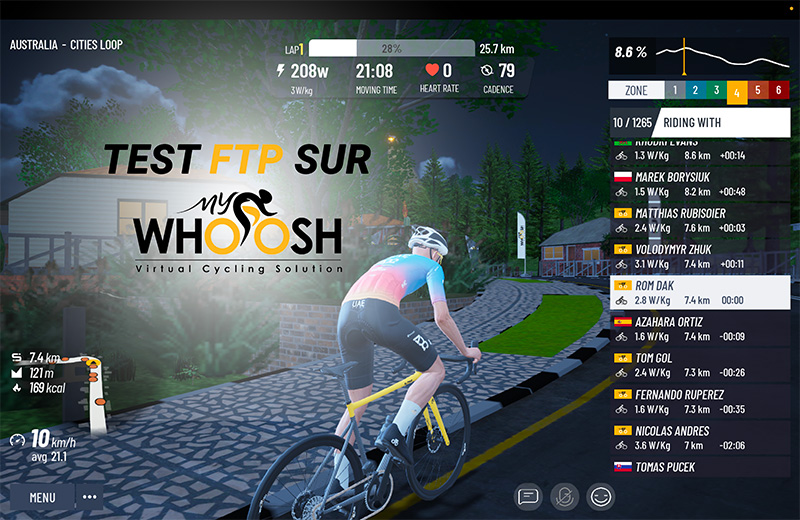
Choose the right type of FTP test on MyWhoosh
MyWhoosh offers several FTP test formats to meet the needs of cyclists:
- Progressive Test (Ramp Test) :
- Ideal for beginners or those who want a less intense test.
- The test consists of gradually increasing power every minute until exhaustion.
- Classic 20-minute FTP test :
- Suitable for experienced cyclists.
- You must maintain your maximum power for 20 minutes. The FTP is calculated as 95% of the average power over this time.
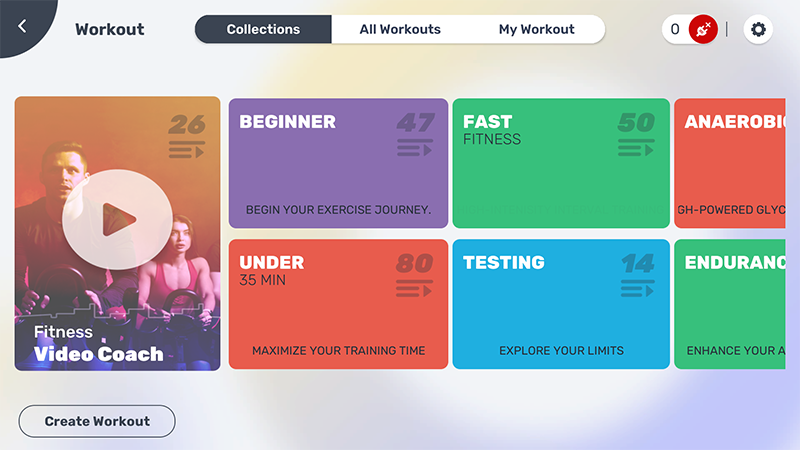
Choose "Testing", the blue part to access the test programs.
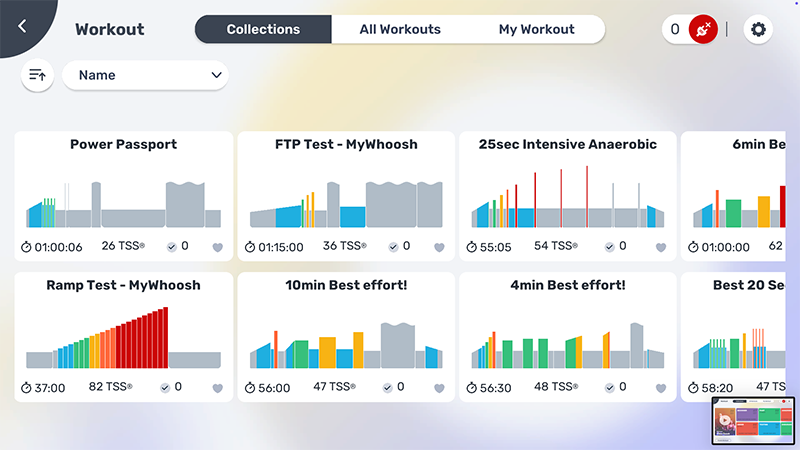
Then you have the choice between "FTP Test - MyWhoosh" or "Ramp Test - MyWhoosh".
Implementation of the session
- Launch of the test :
- From the MyWhoosh application, go to the "Tests" section and select the desired FTP test.
- Follow the instructions on the screen.
- During the test :
- Progressive test Concentrate on each level and try to hold as long as possible without exceeding your limits.
- 20-minute test : Maintain a constant effort. Avoid leaving too hard at first so you don't run out before the end.
- Recovery :
- Once the test is complete, follow the guided recovery phase in MyWhoosh.
- Moisturize and stretch to promote recovery.
Analysis of results
After the test, MyWhoosh automatically calculates your FTP and provides you with a summary of the key data, including:
- Your FTP expressed in watts.
- Your FTP reported to your weight (watts per kilogram).
- An analysis of training areas based on your FTP.
This information allows you to adjust your training plans and to better understand your strengths and improvement axes.
Tips for passing your FTP test
- Be regular Do an FTP test every 6 to 8 weeks to track your progress.
- Stay focused During the test, avoid distractions and focus on your effort.
- Listen to your body : If you experience excessive fatigue or discomfort, do not hesitate to interrupt the test.
By following these steps, you can make the most of MyWhoosh's FTP tests and improve your cycling performance in a structured and efficient way.