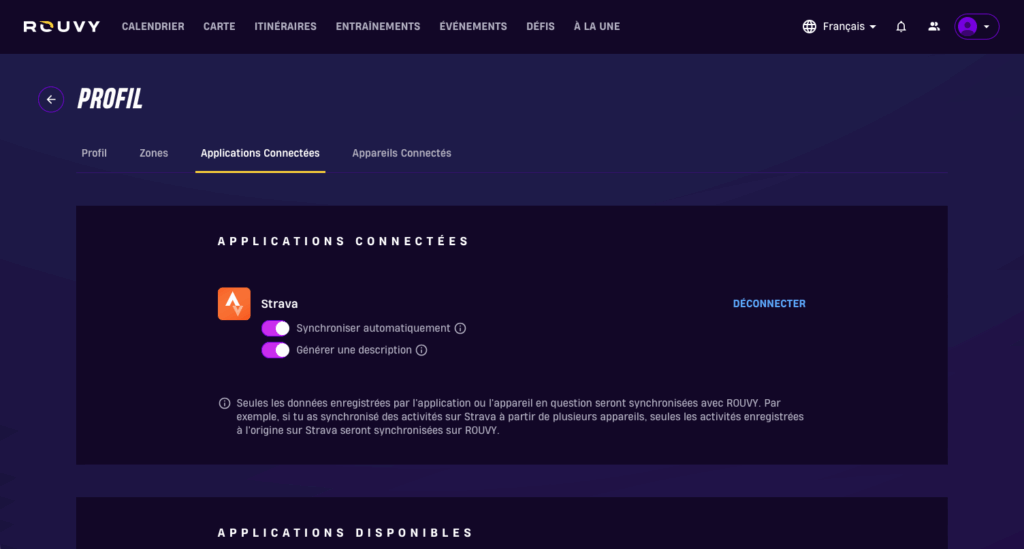
In the world of indoor cycling, the indoor bike trainer connected revolutionized our way of training. On the one hand, we have Rouvy, which offers us the immersion and intensity of the journeys in augmented reality ; on the other, Strava, the logbook and the social network essential to analyze, share and compare our efforts. If Rouvy is the engine of your virtual sessions, Strava is the central dashboard that consolidates your entire physical activity. For any athlete wishing a training follow-up optimal, it is crucial not to lose any data.

Rouvy: Immersion in Virtual Training
Rouvy has established itself as an essential platform for cyclists using a connected indoor bike trainer. Its major asset lies in the augmented reality (AR) that overlays your 3D avatar on real videos of real routes, filmed all over the world. Whether you want to climb Mont Ventoux or drive on the Hawaii roads, Rouvy offers an immersive and realistic training experience. By connecting your smart indoor bike trainer (such as Wahoo, Tacx, or Saris) to the app, the wheel's resistance automatically adjusts to the slopes displayed on the screen, transforming each session into an authentic cycling adventure. The platform also focuses on community and competition, with regular virtual races to maintain motivation, even during the long winter months.
Strava : Connected Sport Social Network
A true social network of effort, Strava is much more than just an activity recording application; it is the reference platform for the analysis, comparison and sharing of your sports performances, whether they are done outdoors or on your smart indoor bike trainer. As a universal digital training logbook, Strava aggregates all your running, swimming and, of course, cycling data. Strava's power lies in its famous Segments, which allow users to measure themselves on virtual or real road segments, creating a competitive and stimulating environment. Synchronizing your sessions from training platforms like Rouvy with Strava is essential to consolidate your training history, celebrate your progress and interact with a global connected sports community.
Synchronize Rouvy with Strava step by step
Connect to Rouvy
Before making any synchronization, the first step is to connect to your Rouvy interface. See you on the official website of Rouvy (not the training application) to access your personal dashboard.
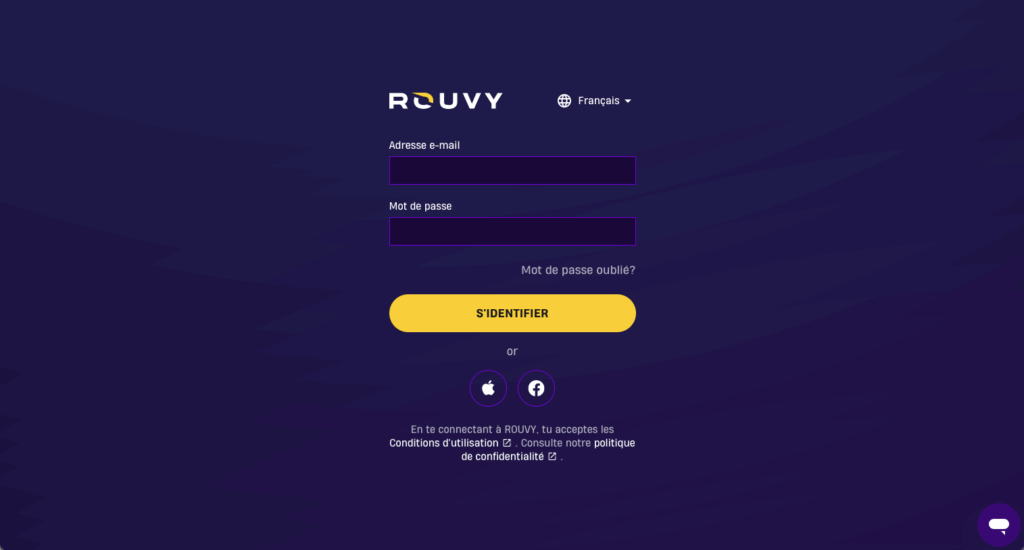
Access applications
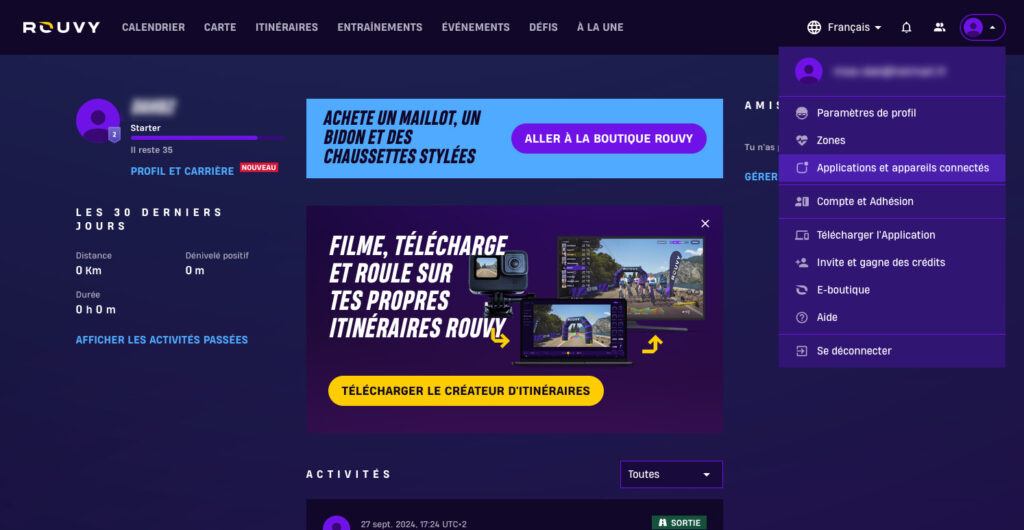
Once connected to your Rouvy dashboard on the website, navigate to the top right menu and click on "Linked applications and devices".
Launch connection to Strava
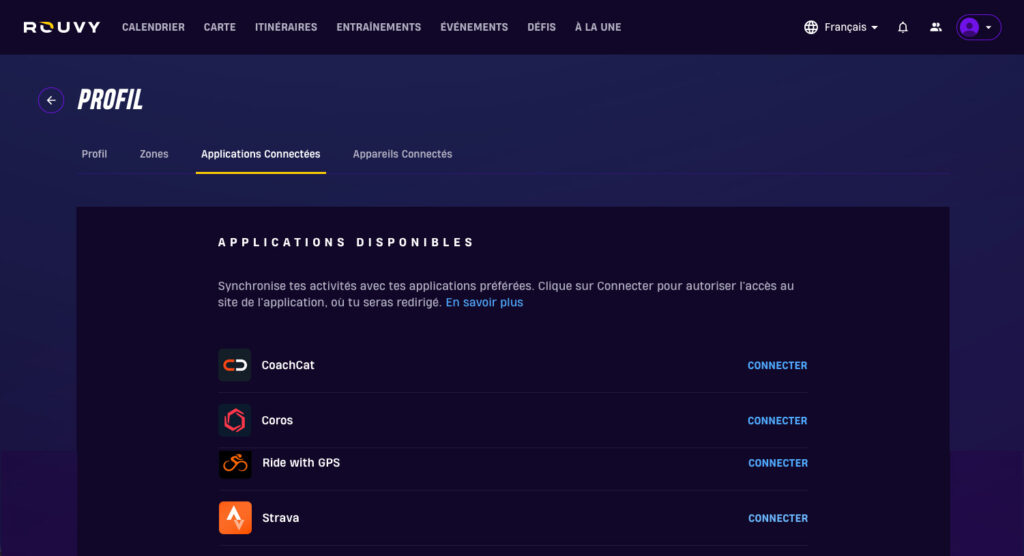
In the list of available third-party applications and services, locate the icon or name of Strava. Click on option Connect. associated with Strava. Rouvy will then redirect you to Strava's authorization page.
Allow Rouvy to use Strava
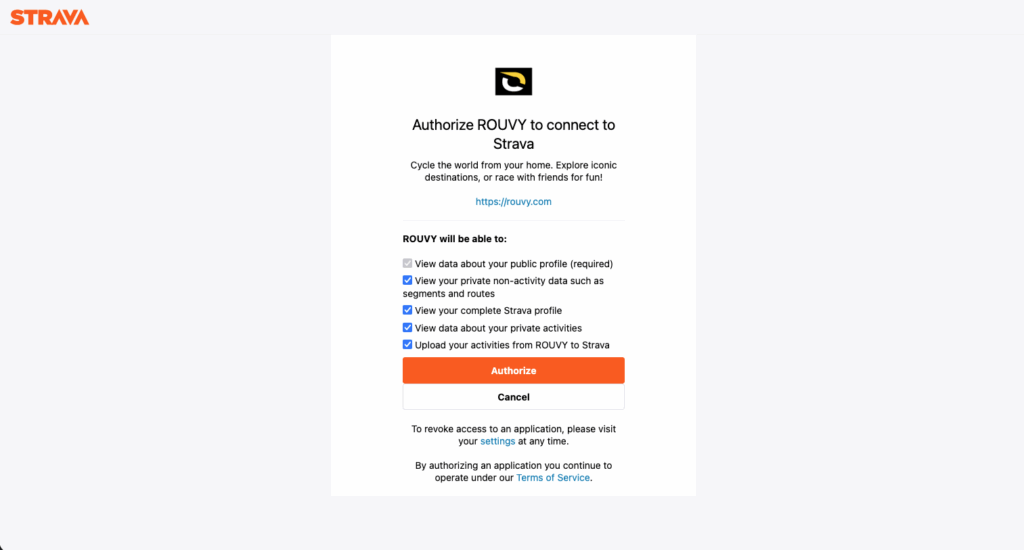
On this page, you will need to confirm you give permission to Rouvy to access your information and, above all, to uploading new activities on your Strava account. Check that the authorization box is checked and click the final button "Authorize" or Connect.. This action is the last step to finalise the link: it allows Rouvy to automatically and transparently transfer all your future sessions to indoor bike trainer connected to your Strava profile.
Configure Strava Synchronization
Once the authorization is granted, you will be automatically redirected to your Rouvy dashboard, where the Stava status should now indicate "Connect" or "Authorized". From that moment on, the configuration is over. All the new activities you will perform on your indoor bike trainer connected via the Rouvy app will be automatically and immediately synchronized to your Strava account.